Practice for LDC, JSA and DEO posts with the most accurate SSC CHSL typing test online. Our tool follows the latest TCS pattern to help you pass the skill test with ease.
The SSC CHSL free typing test is a critical gateway in the Staff Selection Commission's recruitment architecture. Every year, millions of candidates aspire for Lower Division Clerk (LDC), Junior Secretariat Assistant (JSA), and Data Entry Operator (DEO) positions. While the written exams test your mental acuity, the Skill Test (Tier-II) is a raw demonstration of your physical precision and muscle memory.
Many candidates mistakenly treat the typing test as a secondary concern, often beginning their practice only after the Tier-I results are announced. Historical data suggests that this 'last-minute' approach leads to higher failure rates, as developing a consistent 35 WPM (Words Per Minute) net speed requires at least 4-6 weeks of disciplined, daily practice. Our platform is designed to eliminate this hurdle by providing a Free SSC CHSL Typing Simulator that is available 24/7 without any registration or hidden costs.
It is vital to understand that the typing requirements vary significantly based on the post you are targeting. For LDC/JSA posts, the focus is on standard word-based typing at 35 WPM (English) or 30 WPM (Hindi). However, for Data Entry Operator (DEO) roles, the commission shifts the metric to Key Depressions Per Hour (KDPH). A speed of 8,000 KDPH translates to approximately 26-27 WPM, but the passages often contain more numeric and special character data, making them technically more demanding than standard prose.
Our SSC CHSL typing practice tool replicates the TCS Interface with 100% accuracy. From the exact color of the highlight bar to the behavior of the scrollbar and the font size used in the actual exam hall, every detail is meticulously calibrated. This ensures that when you walk into the exam center, the environment feels familiar, reducing 'exam-day anxiety' and allowing you to perform at your peak capacity.
Qualifying Nature: It is important to remember that for most posts, the skill test is qualifying in nature. You don't get 'extra points' for typing at 60 WPM, but falling even one word below the 35 WPM benchmark means immediate disqualification from the entire recruitment process.
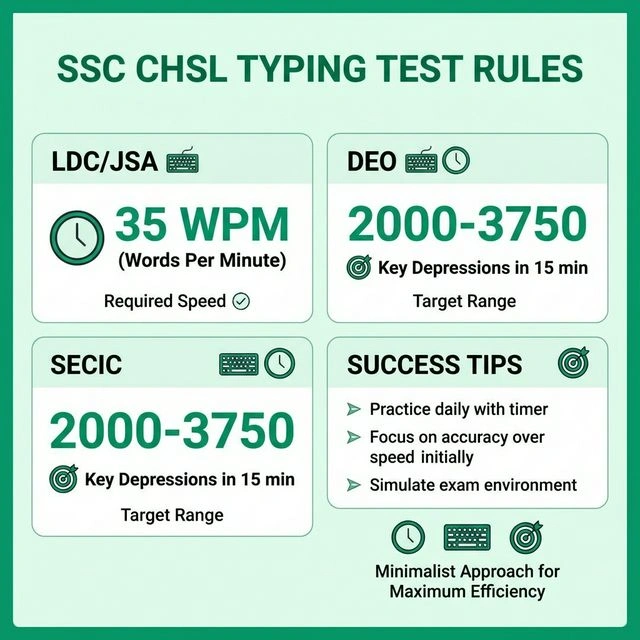
Overview of required speeds for LDC, JSA, and DEO posts.
Qualifying Speed
35 WPM (English)
DEO DEST
27 WPM*
(*approx 8000 KDPH)
In the SSC CHSL typing exam, there are two kinds of mistakes. It is very important to know them so you can stay under the error limit.
Follow this simple plan to increase your ssc chsl typing speed from 0 to 40 WPM in just one month.
Do not look at the keyboard. Learn where your fingers should go. Practice typing small words like 'the', 'is', 'on'. Focus only on not making mistakes.
Use our simulator to type for 5 minutes. Try to get 95% accuracy. If you make a mistake, slow down. Accuracy is more important than speed right now.
Now type for 10 minutes every session. Try to type 35-40 words every minute. Use all 10 fingers. Keep your eyes on the computer screen only.
Always look at the computer screen. Do not look down at your fingers. Looking down takes time and makes you slow.
Don't try to type too fast at the start. Keep a steady speed. Typing like a rhythm help you make fewer mistakes.
| Job Post | Minimum Speed | Test Duration |
|---|---|---|
| LDC / JSA / PA | 35 WPM (English) | 10 Minutes |
| Data Entry Operator | 8000 Key Depressions / Hour | 15 Minutes |
| DEO (C&AG) | 15000 Key Depressions / Hour | 15 Minutes |
Join thousands of students who are already using our free simulator to get their dream job. Zero ads, zero cost, and 100% official pattern.
